THE TOOL COLLECTION
Face Swap Tools
A different face. Your expressions. Explore ways to change your on-camera look, from a quick webcam preview to a finished video.
Explore face swap tools
Camera previews & recordings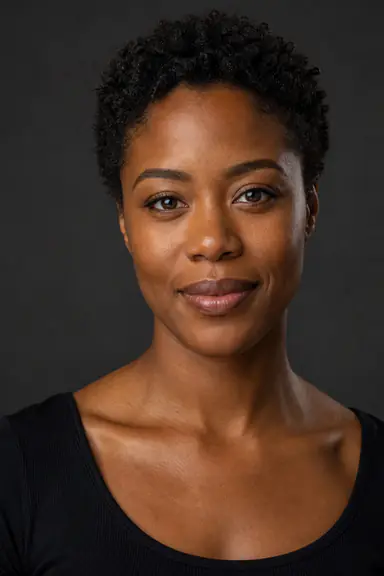
Portraits show available references. Your result depends on the reference, lighting and movement.
FROM CAMERA TO CLIP
One place to preview, record and save.
The full Live Face Swap studio keeps your reference, camera preview and recordings together. Start with the look you want, then capture a performance at your own pace.
Choose your face
Open Studio and select Face Swap. Pick a portrait from the gallery or upload a clear reference photo.
Find your framing
Sign in, allow camera access and check your lighting. Choose portrait or landscape, then start AI to preview the result.
Make a take
Record when you are ready. Stop AI when you finish, then review, trim and download your favorite clip.
BEFORE YOU BEGIN
A few useful answers.
How do I start a face swap?
Use Open Studio to select Face Swap, choose a reference and set up your camera. You can preview your new look, record a take and save the result in the same workspace.
Can I upload an existing video?
The video source is your live camera. You can upload a reference photo to choose the appearance, then record the transformed camera feed. Uploading a finished video for face replacement is not supported.
What makes a good reference photo?
Choose one clear, front-facing face with even lighting. Avoid blurred images, covered faces and portraits where the face is very small. You can also start with a portrait from the built-in reference gallery.
Does a talking head face swap change my voice?
It changes your appearance, not your voice. Enable Record microphone before starting if you want to capture your own speech. You can adjust audio timing when editing a recorded clip; this does not regenerate speech or lip movements.
Can I save the result as a video?
Yes. Record a take, stop AI when you finish, then download the original recording or trim it. Original recordings use MP4 or WebM; edited MP4 export depends on device and browser support. Download your clips before leaving or refreshing the Studio tab.
Give your next take a new face.
Choose a reference. Turn on your camera. Make it yours.